Trade Copier Account Groups:
Design, Changes and Rollback
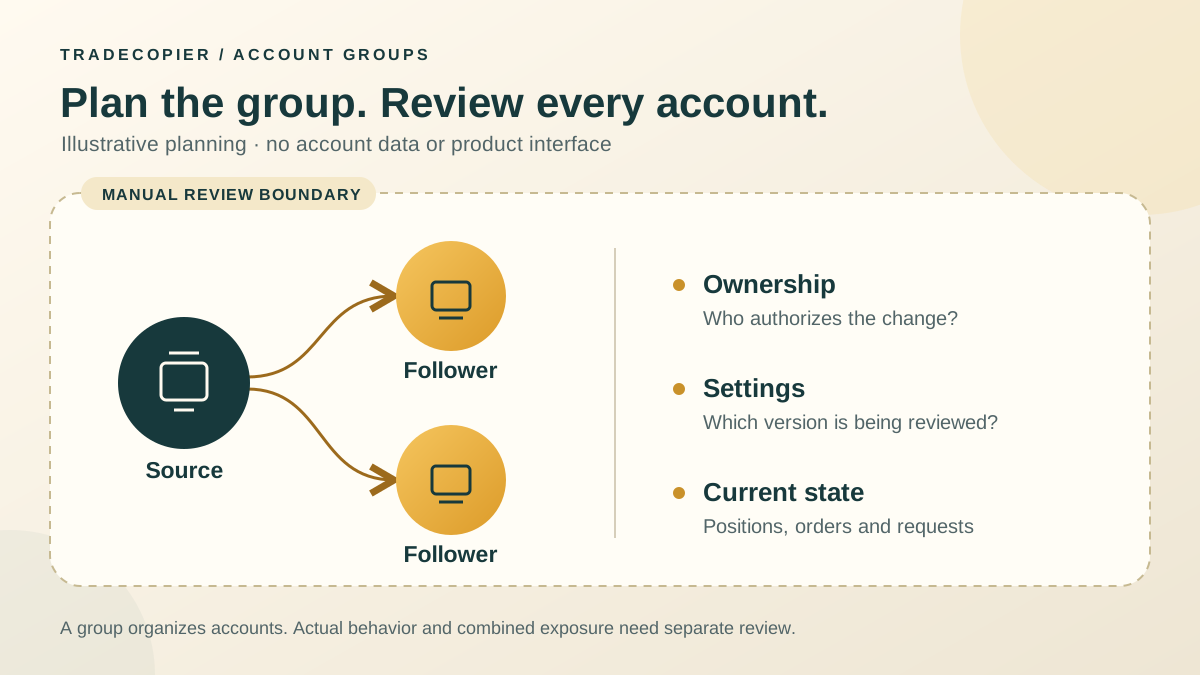
Trade copier account groups organize which accounts participate in a copying setup and which settings must be reviewed together. A useful design records the strategy, broker environment, account owner and sizing assumptions for every member. The group label alone does not create a financial risk boundary or prove that membership can change without affecting active trades.
This guide provides an original manual planning and change-review procedure. Its fictional examples are not product tests. Confirm the actual controls and behavior of your connected route before applying a change in TradeCopier.
Start with ownership, strategy and account conditions
Write down who owns each account, who may authorize trading changes and who will reconcile the result. An operator handling the software is not automatically entitled to trade someone else's account. Broker and funded-program permissions must be checked separately; a group name grants neither permission nor compatibility.
Choose a strategy purpose before assigning accounts. Then record broker/server, account mode, environment, currency and instrument specifications. Grouping similar strategies can simplify review, but accounts may still need different quantities and limits. MetaQuotes documents contract size, volume step, volume limits and profit currency separately. A matching symbol or lot number does not establish matching monetary exposure.
Use a fictional group design matrix
The following is an example planning document for one owner, not a recommended allocation or a claim that these routes have been tested. Aliases replace account numbers. The demo group is a separate future proposal requiring its own capacity and permissions.
| Proposed group | Members and owner | Strategy and broker conditions | Review boundary |
|---|---|---|---|
| LIVE-ALPHA | Owner Mira: source A; followers B and C | One strategy. A/B use Broker Cedar; C uses Broker Birch. Confirm each symbol and account mode. | Separate size calculation for B/C; record each account's chosen budget and combined exposure. |
| DEMO-ALPHA | Owner Mira: demo source D; demo follower E | Test proposed settings on separately identified demo accounts. | No live members in this test plan. Demo evidence does not establish live fills. |
For a numerical planning illustration, suppose B and C each have a chosen modeled adverse amount of $40 on positions exposed to the same price move. Their combined modeled amount is $80, before any omitted costs or execution differences. Putting them into different groups would not remove that shared exposure. These amounts are not loss caps, and account currency must be normalized before addition.
Keep quantity policy next to membership. The existing lot-multiplier guide introduces multiplier terminology; verify the actual setting and instrument units for each follower. Do not use the same multiplier as evidence that two accounts have the same risk.
Check group capacity without assuming execution behavior
TradeCopier's published pricing, checked September 22, 2026, lists a permanent Free plan with one trading group and three trading accounts, without paid account add-ons. The first matrix row contains three account aliases; confirm how the current product counts your proposed source and follower connections before setup. Adding the second group exceeds the published Free group allowance.
Capacity tells you how many groups and accounts a plan advertises. It does not verify whether moving an account changes existing position associations, replays earlier source trades, cancels pending orders or preserves exit handling. Keep those unanswered route questions in the change record rather than treating a successful settings save as proof.
Create a version record before changing membership
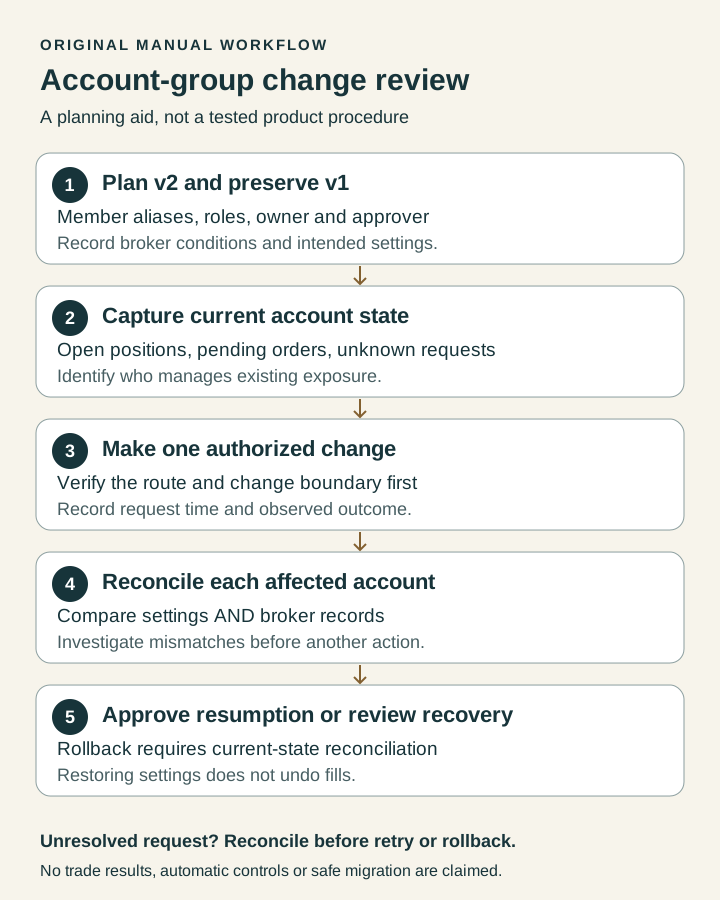
Give the current reviewed configuration a version such as v1 and the proposed configuration v2. Store the exact member aliases, source/follower roles, broker environments and relevant settings for both. Record the reason, requested time, timezone, account owner, operator and approver. These are human workflow responsibilities, not claims about product role controls.
The approver checks that the affected account list is complete and that the proposed change has an authorized purpose. A sole account owner may fill both roles, but should record that explicitly. Preserve the previous record; overwriting v1 with v2 removes the reference needed to investigate a discrepancy or prepare a reversal of settings.
Capture live state and define the change boundary
Before the change, record each affected account's open positions and pending orders, with symbol, direction, quantity, protective levels and observation timestamp. Keep sensitive broker identifiers in protected local records; use aliases in a shared worksheet. Also record submitted requests whose final outcome is unknown. An empty position list does not prove there are no pending orders.
MetaTrader 5 distinguishes requests, executed deals and resulting positions. That distinction matters when comparing a before/after snapshot: one request can generate several deals, and a pending order can execute during the change window.
Define how new source activity will be controlled and how existing exposure will remain supervised. Verify the exact pause or disable control before relying on it. Do not assume stopping new entries also stops amendments or exits, or that detaching a follower closes its positions. If the route's behavior is unresolved, defer the membership change rather than experiment on an unmanaged live position.
Apply one reviewed change, then reconcile each account
Use an authorized, limited test appropriate to the actual account environment after the prerequisites are satisfied. Record when the action was requested and when its outcome was observed. Compare v2 settings with the proposal, then compare destination broker records with the expected result. Do not retry an uncertain request merely because its result is slow to appear.
| Check | Evidence to record | Unresolved result |
|---|---|---|
| Membership and settings | Actual member aliases, roles and selected values versus v2 | Hold further changes; identify the mismatch. |
| Positions and pending orders | Before/after quantity, direction, protective levels and request outcomes for every affected account | Reconcile the broker state before another action. |
| Ongoing management | Who remains responsible for each open position and unresolved order | Assign an authorized operator; do not assume automatic ownership transfer. |
| Approval to resume | Reviewer, timestamp, exceptions and decision | Keep the change open until exceptions are resolved or explicitly accepted. |
cTrader documents different netting and hedging position behavior. A single net position may reflect multiple deals, whereas a hedging account can retain separate positions. Reconcile according to the actual account mode; a count of visible positions alone is not enough.
Rollback means reviewing a new change
A rollback proposal restores selected configuration values from v1; it cannot rewind the market, erase fills or restore an earlier account balance. Before attempting it, confirm that v1 is complete, still compatible and authorized, current broker state is reconciled, uncertain requests are resolved, and an operator is responsible for existing exposure. Check whether restoring membership could create duplicate routing or leave an exit unmanaged.
If those preconditions fail, record the exception and obtain a reviewed recovery action instead of pressing ahead. Any cancel, close or offsetting trade needs its own authorization and execution check. After restoring settings, capture another account-state snapshot and reconcile again. Close the change record only when the reviewer records the final version, remaining exceptions and resumption decision.
Keep a reusable manual record
Download the blank account-group change worksheet. Its eight rows begin as not_run; observation fields are blank. It is a manual template, not a TradeCopier export or completed audit. Use one row per affected account and repeat the change identifier across related rows. Preserve evidence references to the version snapshots and broker records in your protected workspace.
Review the design again when ownership, broker conditions, strategy or membership changes. Record what is documented, what was observed in an authorized test and what remains unknown. That distinction makes an account group easier to operate without presenting organization as a promise of better returns or isolated losses.
Quick answers
Frequently Asked Questions
Find answers to the most common questions about this topic.
What are trade copier account groups?
They organize accounts participating in a copying setup. A useful group record identifies members, source/follower roles, strategy, account owners and settings that require review together. A group label does not itself establish a financial risk boundary.
How many groups does the Free plan include?
The pricing page checked September 22, 2026 lists one trading group and three trading accounts on the permanent Free plan, with no paid account add-ons. Confirm the current counting rules for your intended connections before setup.
Should accounts be grouped by strategy or broker?
Record both dimensions, together with ownership, account mode, currency and sizing assumptions. A shared strategy does not make broker conditions identical. The matrix in this guide is a fictional planning example, not a tested route.
Does moving a follower preserve its open trades and pending orders?
That behavior must be verified for the actual route. Do not assume that changing membership preserves position associations, cancels pending orders or maintains exit management. Record live state and responsibility before changing it.
Do separate groups isolate trading losses?
No. Accounts in different groups may share market exposure, a strategy, broker dependencies or an owner. Review combined exposure separately; group organization does not guarantee containment of drawdown.
What belongs in a configuration version record?
Keep prior and proposed versions, affected member aliases and roles, relevant settings, reason, timestamp and timezone, account owner, operator, approver, evidence references, rollback preconditions and the final reconciliation decision.
Can rolling back settings undo executed trades?
No. Restoring configuration does not reverse broker fills, remove pending requests or restore the earlier balance. Reconcile current state first. Any cancel, close or offsetting trade requires its own authorization and execution review.
Is the downloadable worksheet a product audit or automatic rollback tool?
No. It is a blank manual planning and review template. Its eight rows start as not_run. The procedure and fictional examples do not demonstrate TradeCopier pause, migration, replay, access-control or rollback behavior.









