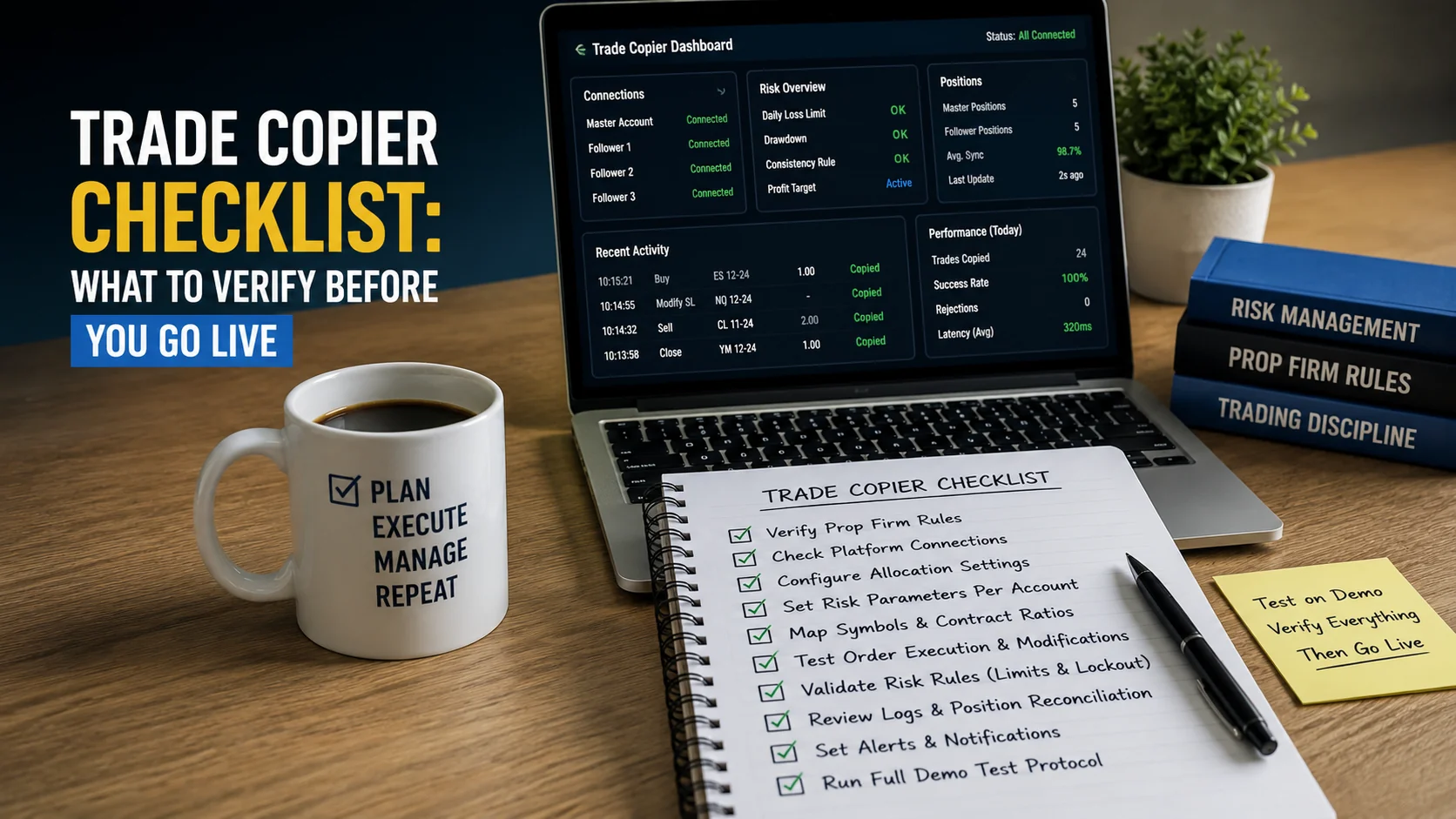
Trade Copier Checklist:
Verify a Route Before Live Use
Platform support update (September 25, 2026): TradeCopier supports MT4, MT5, cTrader, NinjaTrader 8, DXTrade, TradeLocker, MatchTrader and VertexFX. The inspected self-service menu showed MT5, TradeLocker and cTrader; ask support for setup instructions for the other platforms. Confirm your exact broker, account mode, copying direction, instrument and order actions before live use.
A trade copier launch checklist is a record of what you intend to copy, what each follower can accept, and what actually happened in a controlled test. It is more useful than a list of features marked “on.” A connected account is not a certified route, a sent request is not a broker fill, and a matching lot number is not necessarily matching financial exposure.
Publisher disclosure: TradeCopier publishes this guide about its own product. The blank record below is an editorial planning template, not an automated product test or a promise of prop-firm compliance. Public product sources were checked September 23, 2026, and the self-service platform choices September 24, 2026. Recheck current plan terms, connection instructions, broker specifications and account rules for the exact setup you intend to use.
1. Identify the exact source-to-follower route
Write down the source and each follower by a non-sensitive account alias. For each, record the platform and version, broker and server, account mode, owner, permitted instrument and source-to-follower direction. Do not put passwords, API keys or full account credentials in a shared checklist. TradeCopier's current platform guide describes MT5, TradeLocker and cTrader as the choices observed in the inspected self-service account flow. TradeCopier supports MT4 and NinjaTrader 8, though their setup was not shown in the inspected menu; no platform name certifies every copying direction. Record a dated answer from the current dashboard or support for your broker, account type, connector, instrument and order actions. If no answer is available, mark the route UNKNOWN; do not turn a platform logo into route certification.
Check the account capacity before adding the route. The current pricing page lists a permanent Free plan with one trading group and three total trading accounts; paid plans list larger finite capacities. Confirm how source and follower connections count for the proposed setup. If a broker, prop firm or account owner imposes a copying restriction, retain its current written terms and, where needed, a dated approval. TradeCopier cannot grant permission under another firm's rules.
2. Record the destination contract and selected copying rules
For every follower, compare the source instrument with the actual destination symbol and contract. A similar name or an automatic symbol match does not prove the same contract size, tick value, currency, trading hours or valid order quantity. TradeCopier describes automatic and manual symbol mapping; verify the result against the follower broker's specification. For MT5, MetaQuotes' symbol-property reference separates contract size, tick value, minimum and maximum volume, and volume step.
Record the sizing mode actually available in the current account configuration and its saved values. TradeCopier publicly describes lot multiplier, fixed lot and equity-based lot sizing. Those methods choose a proposed quantity; they do not by themselves prove a fixed percentage of loss at a stop. If a required risk-at-stop or auto-flatten behavior is not documented and observed for this route, mark it UNAVAILABLE or UNKNOWN, not “enabled.” Record filters, pending-order handling, protection-field handling and alert preferences only when they are available for this connection and relevant to the intended trading actions.
3. Test outcomes at the broker, one action at a time
Use an appropriate permitted demo environment where available, or another controlled test acceptable under the account rules. Before a source event, write the expected follower symbol, side, quantity and protection fields. Then record what the copier observed, what it requested, the broker response, any execution deal or fill, and the resulting position. MetaTrader 5 distinguishes an order, a deal and a position; its OrderSend documentation cautions that a successful request return alone does not establish execution. Use the equivalent native evidence on other platforms.
Test an opening action, a stop or take-profit change, a partial and full close, and a pending-order action only if the route supports and the planned workflow uses them. Record each separately; a successful market entry does not validate later lifecycle events. Check for rejected requests, partial fills, manual trades, an existing opposite position and any contract or volume-step adjustment. The product's published activity-log description can help locate copier events, but the broker's order, execution and position records determine the destination state.
Test a safe connection interruption if the account rules and connector allow it. Reconcile open orders and positions before retrying an event with an uncertain acknowledgement. Do not assume missed trades replay, an open position is closed, an account auto-flattens, or a failed response means that nothing executed. Record the route-specific recovery policy when the current product or support documentation actually establishes it.
4. Use this versioned blank launch acceptance record
Copy this table into your own controlled record, one copy per source-to-follower route. Set Record version to a local identifier such as 1.0 and increment it whenever a platform, broker, account, contract, plan, permission or copier setting changes. Keep the old version for comparison. Leave all outcomes UNKNOWN until evidence is attached. These labels are the reader's review states, not statuses assigned by TradeCopier.
State key: PASS means the named acceptance criterion was observed with a dated evidence reference; FAIL means an observed result contradicted it; UNKNOWN means it has not been verified; UNAVAILABLE means the required document, capability, test environment or evidence could not be obtained; NOT APPLICABLE requires a written reason. For a live-launch decision, treat any required FAIL, UNKNOWN or UNAVAILABLE as a hold. This is a conservative checklist rule, not an automatic product lockout.
| Field or check | Value or acceptance criterion to fill in | State | Dated evidence reference |
|---|---|---|---|
| Record version, date and reviewer | ________ | UNKNOWN | ________ |
| Source and follower aliases; account owner | ________ | UNKNOWN | ________ |
| Platform, version, broker/server, account mode and direction | ________ | UNKNOWN | ________ |
| Current connection method and route confirmation | ________ | UNKNOWN | ________ |
| Plan account capacity and group membership | ________ | UNKNOWN | ________ |
| Broker, prop-firm and owner permission, if relevant | ________ | UNKNOWN | ________ |
| Source symbol; follower symbol, contract and volume rules | ________ | UNKNOWN | ________ |
| Saved sizing mode, input values, filters and protection behavior | ________ | UNKNOWN | ________ |
| Expected versus observed open request, broker deal and position | ________ | UNKNOWN | ________ |
| Expected versus observed modify, partial/full close and pending actions, as required | ________ | UNKNOWN | ________ |
| Alert delivery and responsible reviewer | ________ | UNKNOWN | ________ |
| Interruption, uncertain outcome and recovery policy, if required | ________ | UNKNOWN | ________ |
| Open exceptions, decision and next review trigger | ________ | UNKNOWN | ________ |
For the last row, write HOLD until required checks have dated evidence. “Not applicable” is legitimate only when the planned route truly cannot use that action and the reason is documented. This record does not establish that TradeCopier automatically applies your acceptance decision.
5. Keep the record current after launch
Name the person who checks copier events, broker state and alerts, and choose a review cadence appropriate to the account and risk policy. TradeCopier describes configurable notifications, but no universal 70% or 85% warning level is established for every account or firm. Choose thresholds from actual account requirements and verify delivery. Alert receipt does not replace broker-state reconciliation.
Reopen the acceptance record after a changed broker server, platform version, follower, instrument, symbol mapping, sizing input, account rule, trading permission, or support-confirmed connector behavior. The retest scope should cover affected actions; there is no evidence-backed universal number of trial days or test steps. Use the current setup flow for product connection instructions. A launch decision remains yours and your account provider's, based on the actual route and observed outcomes; this guide does not promise trading returns or compliance.
Quick answers
Frequently Asked Questions
Find answers to the most common questions about this topic.
What should I check before using a trade copier live?
Identify the precise source-to-follower route and permissions, verify plan capacity and destination contract rules, save the selected sizing and filter settings, then compare controlled test requests with actual broker orders, deals and positions. Keep a dated record per follower.
Does a connected account prove that my broker and platform pair is supported?
No. The inspected self-service app offers MT5, TradeLocker and cTrader account choices, but a connected status does not certify the exact direction, account mode, broker, instrument or order lifecycle. TradeCopier also supports MT4 and NinjaTrader 8; ask for their setup instructions outside that inspected menu. Confirm the route in the current product or with support and test the required actions.
Does TradeCopier calculate lot size from my stop distance and chosen risk percentage?
The public configuration page checked September 23, 2026 describes lot multiplier, fixed lot and equity-based sizing. It does not establish a universal loss-at-stop sizing mode for every route. Mark that requirement unknown or unavailable until the specific account configuration and calculation are documented and tested.
Will a drawdown limit automatically flatten or lock just one follower?
Do not assume it will. The exact behavior of any configured limit, alert, pause, close or lock must be established for the current route and tested in an appropriate environment. Existing broker positions need direct inspection.
What do UNKNOWN and UNAVAILABLE mean on the launch record?
UNKNOWN means a required fact or outcome has not been verified. UNAVAILABLE means the necessary document, capability, environment or evidence could not be obtained. In this template, either state holds a required live-launch check open rather than counting as a pass.
How long should a trade copier demo test last?
No universal two-week duration or fixed step count is established. Define the actions and failure cases your exact route needs, test each under permitted controlled conditions, record broker outcomes and retest when a material input changes.
Do alerts or activity logs prove a copied trade filled?
No. Copier logs and alerts help reconstruct requests and responses, but confirm the destination order, any execution deals or fills, and the resulting position in the broker account. An accepted or timed-out request alone does not prove the final state.









