How to Delete or Disconnect an Account on TradeCopier
Need to pause copy rules, change your broker route, or permanently remove an account? Follow our verified 3-step deletion flow with full confirmation safeguards.
The Complete 3-Step Account Deletion Flow
Follow these three simple steps on mobile or web to safely remove any connected trading account.
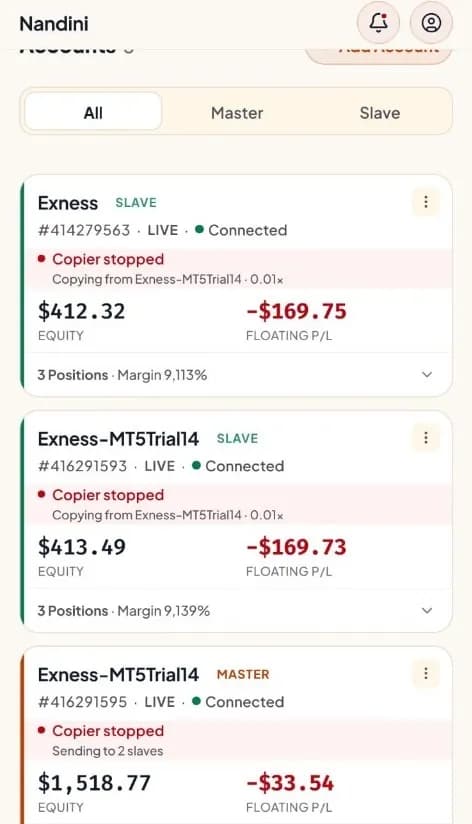
Locate Account & Tap Three Dots (⋮)
From your Accounts list, find the slave or master trading account (e.g. Exness, MetaQuotes). Tap the three-dot button (⋮) located on the upper-right corner of the account card.
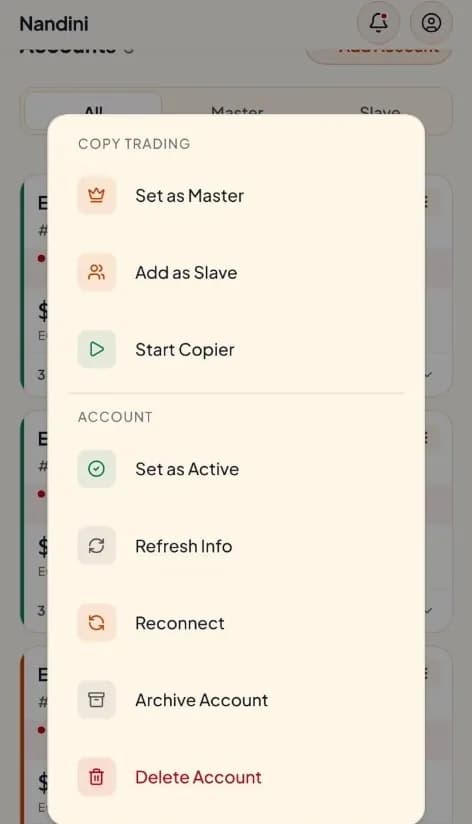
Select "Delete Account" in Menu
The action sheet slides up with options for copy trading and connection configuration. Scroll to the bottom of the sheet and select "Delete Account" in red text.
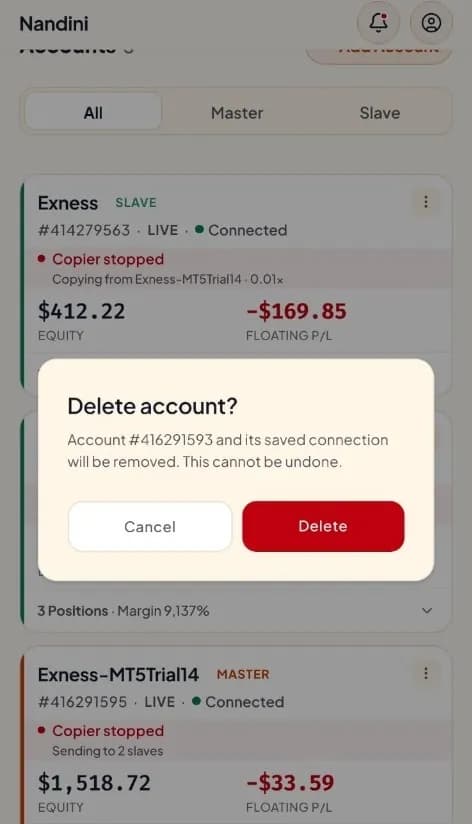
Confirm Removal in Modal
TradeCopier shows a final verification dialog: "Account #416291593 and its saved connection will be removed."Tap the red Delete button to finalize.
Test the Live Delete Flow in the Accounts Ranking Table
Try the exact desktop delete flow directly in the ranking table below. Click the three dots (⋮) on any row to open the options popover, select Delete Forever, and test the confirmation modal.
Pause Copier vs. Archive vs. Delete Forever
Choose the right level of disconnection depending on whether you want a temporary pause, tax archiving, or complete removal.
| Action | Copier Signals | Broker Credentials | Trade Statistics | Best Used For |
|---|---|---|---|---|
| Pause Copier | Temporarily Paused | Retained (Encrypted) | Fully Retained | High-impact news, market volatility, weekends |
| Archive Account | Inactive / Hidden | Dormant | Saved for Audit/Taxes | Passed prop challenges, funded phase transitions |
| Delete Forever | Permanently Erased | Completely Purged | Purged from Router | Closing broker account, privacy cleanup, switching setups |
Frequently Asked Questions About Account Deletion
Take Full Control of Your Trade Routing
TradeCopier gives you complete freedom to connect, copy, pause, or delete accounts with zero vendor lock-in and zero friction.

Start Copying Smarter Today
Connect supported accounts with configurable sizing, risk controls, activity logs, and alerts.